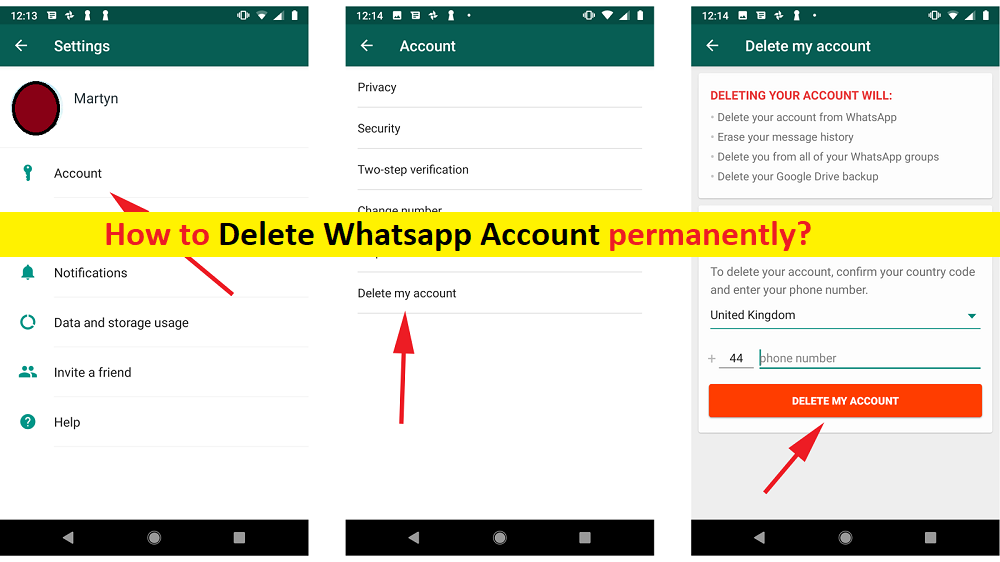
Here, we are discussing on “How to delete WhatsApp Account permanently”. You will be guided easy steps to delete WhatsApp Account permanently on Android/iOS devices. Let’s go for the solution.
‘WhatsApp or WhatsApp Messenger’: It is VoIP (Voice-over Internet Protocol), cross-platform centralized messaging service owned by Facebook Company. This messaging platform offers you to send text and voice messages, make voice and video calls, share images, documents, user locations and other content. You can enjoy WhatsApp Messenger in Android and iOS based devices, and on computer with WhatsApp web version.
WhatsApp new Privacy Policy elaborates on data collected by company to enable various features. If you are not aware, WhatsApp stores your app usage, including username, and DP (Display Picture) of your WhatsApp groups, among other things. According to new WhatsApp Privacy Policy, WhatsApp collects your device and connection-specific information when you install, access or use WhasApp service.
These data are such as hardware model, operating system information, battery level, signal strength, app version, browser information, mobile network, connection information (like phone number, mobile operator or ISP), language zone, IP address, device operations information and identifiers (including identifiers unique to Facebook Company products associated with same device or account).
However, numerous WhatsApp users triggered ‘#deletedfacebook’ movement against Facebook-owned WhasApp new privacy policy and WhasApp is also being boycotted due to WhatsApp Privacy Policy update.
Some users don’t want to use WhatsApp anymore due to this new privacy policy update, and they attempted to delete their WhatsApp account permanently. If you are looking for same thing ‘Deleting WhatsApp account’, then you are in right place for this.
Deleting WhatsApp Account will do the following:
- Delete you from all of your WhatsApp groups.
- Delete your Google Drive backup.
- Delete your account from WhatsApp.
- Erase your message history.
- Detach your phone number from your account.
- Delete your phone number from your friends’ WhatsApp contact lists.
How to create backup of your WhatsApp data?
You should make sure that you have strong backup of your WhatsApp data on some safe storage space or on cloud storage that could help you to restore your data.
Create Backup on iOS:
Step 1: Open ‘Settings’ and tap on your name/profile picture
Step 2: Tap on ‘iCloud’ and scroll down to ‘WhatsApp’ and turn toggle switch to set it ON
Backup Inside WhatsApp:
Step 1: Open ‘WhatsApp’ and tap ‘Chats > Chat Backup’
Step 2: Turn ON ‘Auto Backup’ using toggle switch
Step 3: Also, you can save your WhatsApp videos with ‘Include Videos’ toogle and backup of your account instantly with ‘Back Up Now’ button
Backup on Android:
Step 1: Open ‘Settings’ app and go to ‘Chats > Chat Backup > Backup to Google Drive’
Step 2: Select a backup frequency, select your Google Account or create a new one, and log into your account
Step 3: Now, tap on ‘Back Up Over’ to select the network you want to use and tap on ‘Back Up’ button.
How to delete WhatsApp Account permanently on Android?
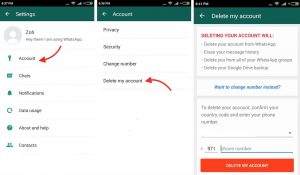
Step 1: Open ‘WhatsApp’ App in your Android phone
Step 2: In the opened ‘WhatsApp’ app, tap on ‘Three-Dots’ icon and tap ‘Settings’
Step 3: Now, tap on ‘Account’ and then tap on ‘Delete my account’
Step 4: Select your country code and enter your phone number in ‘Phone’ field
Step 5: Finally, hit ‘Delete My Account’ button. Wait to finish the process.
How to delete WhatsApp Account permanently on iOS?
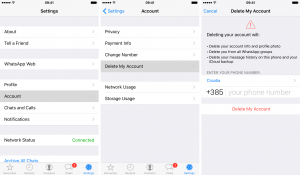
Step 1: Open ‘WhatsApp’ App in your iOS based device
Step 2: In the bottom-right corner of bottom bar, find and tap on ‘Settings’
Step 3: Now, tap on ‘Account > Delete My Account’
Step 4: Select the country you are belonging and enter your phone number
Step 5: Finally, hit ‘Delete My Account’ button and wait to complete the process.
Conclusion
I hope this article helped you on How to delete WhatsApp Account permanently on Android/iOS with several easy steps. You can read & follow our instructions to do so. That’s all. For any suggestions or queries, please write on comment box below.